












The Problem · The Solution
Reviews drive half your new patients. So why are most of them unanswered?
Google prioritizes practices that respond consistently. New patients read your responses before they ever call. And yet, most dental and orthodontic practices leave over two-thirds of their reviews untouched — not because they don't care, but because writing 20 replies a week is nobody's real job.


What's broken
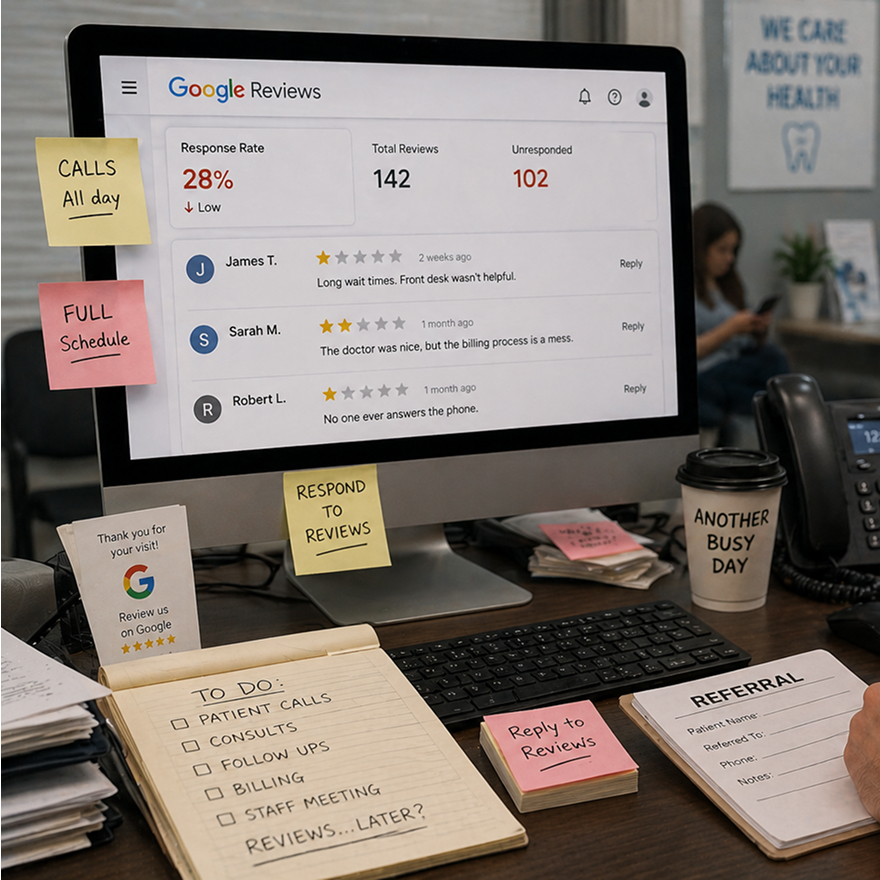
Most reviews never get a response, Writing a thoughtful reply to every review takes real time. Between calls and consults, most practices answer fewer than 30% of their Google reviews. Google notices. So do prospective patients.
How HHub fixes it
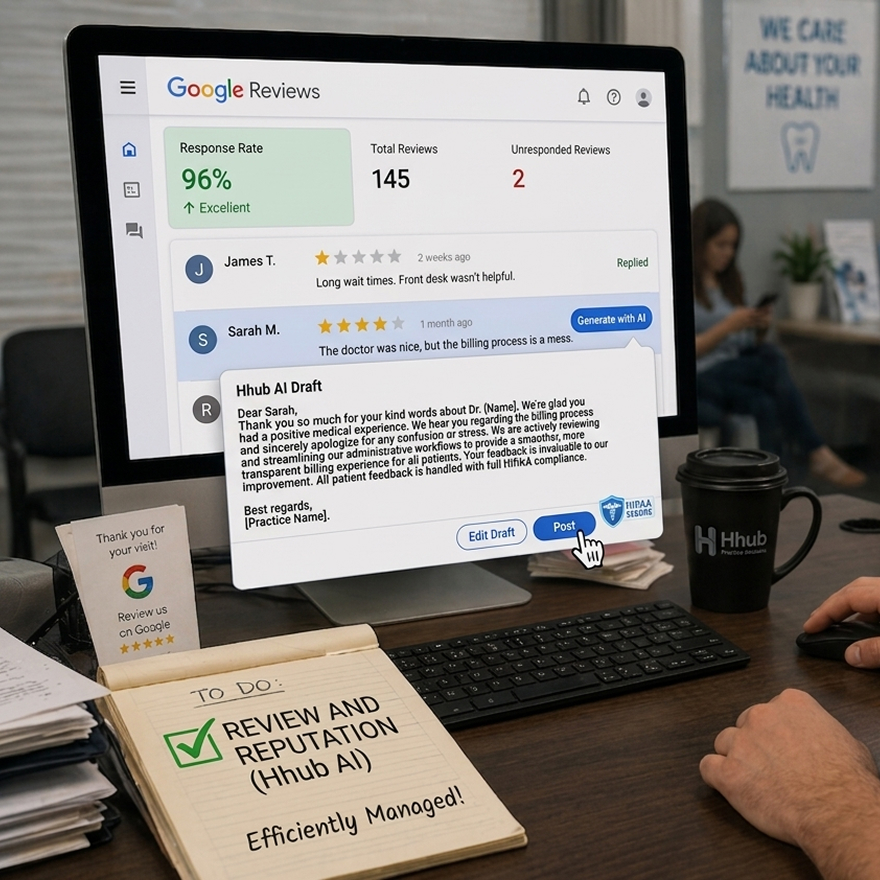
A polished draft, ready in one click, Click "Generate with AI" on any Google review. HHub writes a professional response in your practice's tone — thanking genuine feedback, acknowledging concerns without being defensive, always compliant with HIPAA. You edit or approve. We post.
Same Day · The Difference
What you're dealing with today — and what changes.

Generic replies sound like AI wrote them. Most tools spit out one-size-fits-all replies that feel robotic. "Thank you for your feedback." Done. The result: your Google profile looks like a chatbot, and patients scroll right past.

Your voice, not ours. Set your practice's default tone — Warm & Friendly, Professional & Polished, or Balanced. Switch on any individual response if a review needs a different touch. The AI adjusts, and the reply reads like it came from your team.
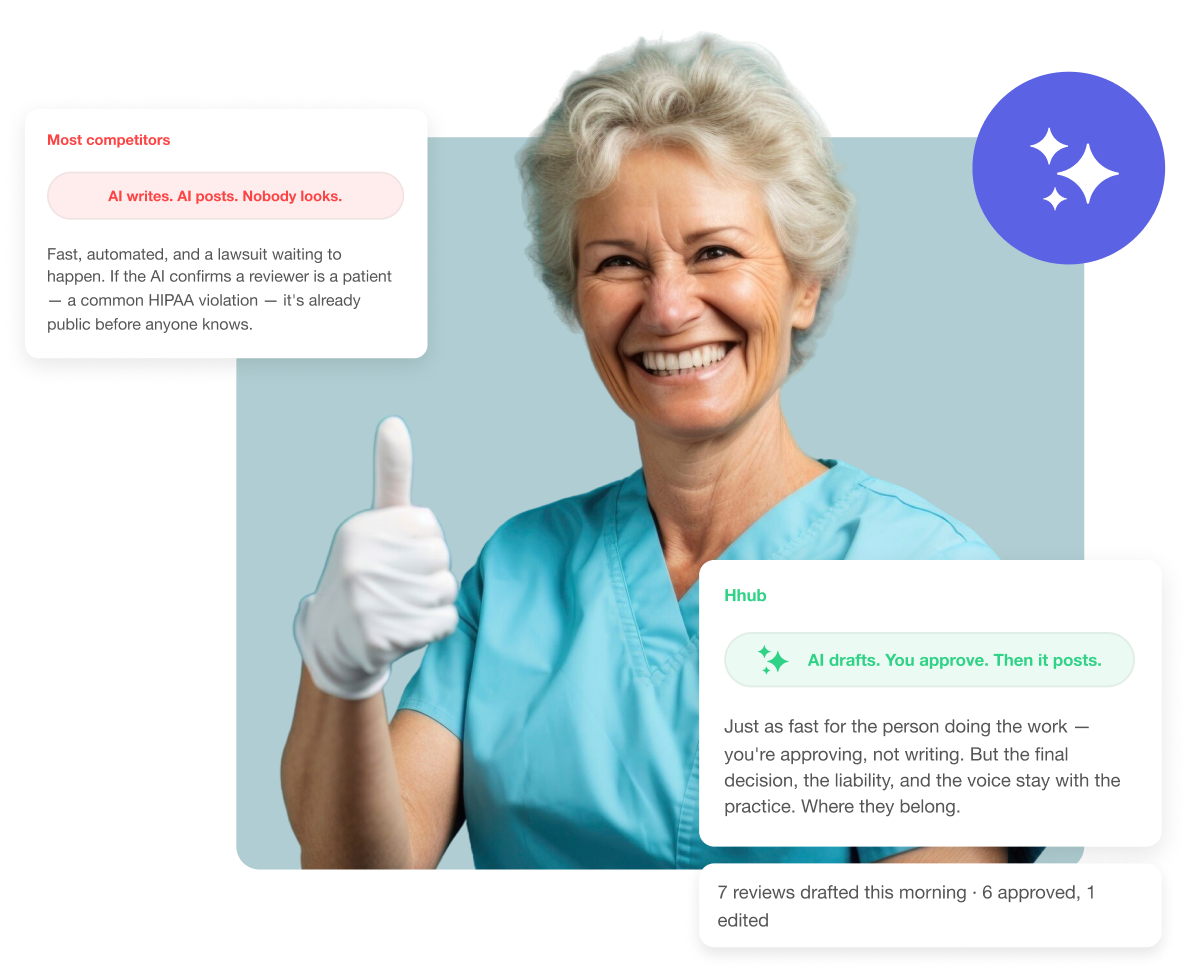
HIPAA risk is real — even in public replies. Confirming a reviewer is a patient, mentioning treatment, referencing a visit — all HIPAA violations that can happen in a five-second reply. Most staff writing Google responses don't know this. Most AI tools don't care.
The AI never does what it shouldn't. HHub's prompt explicitly prevents the AI from confirming the reviewer is a patient, referencing any treatment or appointment, or including any health information. These rules aren't after-the-fact filters — they're built into the prompt itself, every single time.
You don't know how you're actually doing. Average star rating is a vanity metric. What percentage of reviews did you respond to? How does your rating compare to industry average? Which of your locations is underperforming? Most dashboards don't tell you.
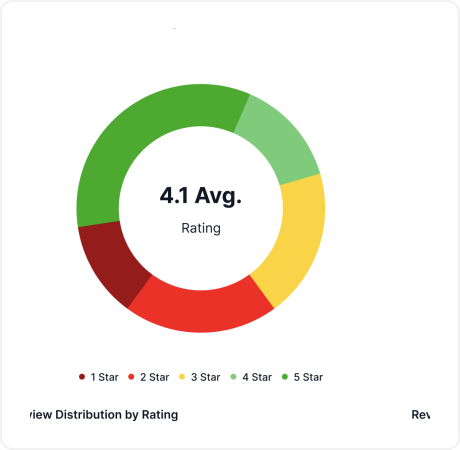
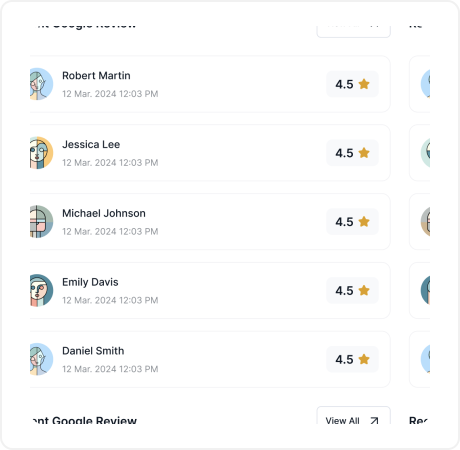
The metrics that actually matter. Response rate, industry benchmark, per-location ratings, negative-review triage. The dashboard tells you in ten seconds where you stand and what needs your attention — not just a star rating with no context.
AI drafts every response. You approve every word.
One Platform Multiple Approaches
Lorem ipsum is placeholder text used in publishing and graphic
Lorem ipsum is placeholder text used in publishing and graphic
How It Works
Four things the product does. All of them, honestly.
- 3-Step Approval Workflow
- Tone Control
- HIPAA-Safe by Design
- Reputation Dashboard
The AI drafts. You approve. Then it posts to Google.
- Click "Generate with AI" on any review
- Draft appears in a preview panel — never auto-sends
- Edit inline, regenerate, or approve as-is
- One-click posts to Google via official API
- Or save as draft for doctor sign-off
- Every response logged for audit trail
Three voices. Set your default. Switch any time.
- Three built-in tones for every practice type
- Set your default in Settings — applies to every draft
- Override on any individual response
- AI regenerates automatically when you switch tone
- All three are HIPAA-compliant by design
- Practice name signed naturally for SEO
The rules are in the prompt, not in a filter.
- Rules baked into the prompt, not filtered after
- AI cannot confirm reviewer is a patient
- AI cannot reference treatment or appointments
- AI cannot include any health information
- Responses stay under 100 words, focused, compliant
- Every draft logged for audit purposes
The metrics Google actually rewards.
- Average rating with industry benchmark comparison
- Response rate KPI — the signal Google cares about
- Per-location ratings for multi-site operators
- 1-2 star review flags for triage
- "Needs Response" filter turns reviews into a queue
- Review trend over time
The AI drafts. You approve. Then it posts to Google.
- Click "Generate with AI" on any review
- Draft appears in a preview panel — never auto-sends
- Edit inline, regenerate, or approve as-is
- One-click posts to Google via official API
- Or save as draft for doctor sign-off
- Every response logged for audit trail
Three voices. Set your default. Switch any time.
- Three built-in tones for every practice type
- Set your default in Settings — applies to every draft
- Override on any individual response
- AI regenerates automatically when you switch tone
- All three are HIPAA-compliant by design
- Practice name signed naturally for SEO
The rules are in the prompt, not in a filter.
- Rules baked into the prompt, not filtered after
- AI cannot confirm reviewer is a patient
- AI cannot reference treatment or appointments
- AI cannot include any health information
- Responses stay under 100 words, focused, compliant
- Every draft logged for audit purposes
The metrics Google actually rewards.
- Average rating with industry benchmark comparison
- Response rate KPI — the signal Google cares about
- Per-location ratings for multi-site operators
- 1-2 star review flags for triage
- "Needs Response" filter turns reviews into a queue
- Review trend over time
The Ethical Case
Some tools auto-post. We won't.
Most AI review tools in dental marketing auto-post responses the moment a review appears. They’ll tell you it’s faster. They won’t mention what can go wrong — because when an AI replies to a 1-star review without a human reading it first, the damage goes public instantly.
We built HHub the other way on purpose. Nothing posts without a doctor or office manager’s eyes on it. The AI writes the draft — that’s where the time savings come from. But the final word is always yours.
It’s a small architectural decision that says something bigger: your reputation is too important to outsource to a machine.
Better Together
Every review is a signal. Here's what it can trigger.
Referral Management
5-star reviews, tagged to the referrer
When a happy patient leaves a 5-star review, HHub can surface which referring doctor sent them — closing the loop on your best referral relationships.
Explore Referral ManagementTask Management
Negative reviews become tasks
Every 1- or 2-star review flagged for triage gets turned into an assigned task — with an owner, a priority, and a deadline for the response.
Explore Task ManagementRoadmap · Coming Soon
Talk to us about the roadmap
Send review requests by SMS or email after appointments — triggered by HHub or your PMS — to grow your review volume on autopilot. On the roadmap.
Talk to us about the roadmap
Hhub Benefits
This modern referral approach increases participation while making the process simple and convenient for everyone involved.
Make referrals easier than ever.


"HHub helped us reconnect with patients who hadn’t started treatment—now we’re seeing a 30% increase in booked procedures!"
10x
Increased our Business